

Ready to plan?
Start with a free RSVP page.
Set up your event in a few minutes, then add photography whenever you are ready.
Event planning
Event planning | October 2026
Planning a wedding, quinceañera or party means answering the same questions again and again. Who has replied? How many plates does the caterer need? Where do people find the details? We have rebuilt the RSVP dashboard that comes with every event so those answers sit in one calm place, and so help is a question away instead of buried in a menu.
The screenshots below use a sample wedding with made-up guests, so you can see the layout without anyone’s real details.
Every client can create an RSVP page for their event: a page with the date, time and details, a shareable link and a QR code, where guests reply. The dashboard is the private side of that page, where you see the replies and manage everything behind it. The basics are free and do not require a photography booking. Booking photography adds the larger planning toolkit; the last section lists exactly what is included. For the full overview, see how our RSVP system works.
The first thing you see is your event. If you add a cover photo, it sits behind the summary: the event name, the date and time, the venue when you have entered one, and how many guests have replied. It is a small change, but it makes the page feel like your celebration rather than a spreadsheet. You can change or add the photo from the same card at any time.
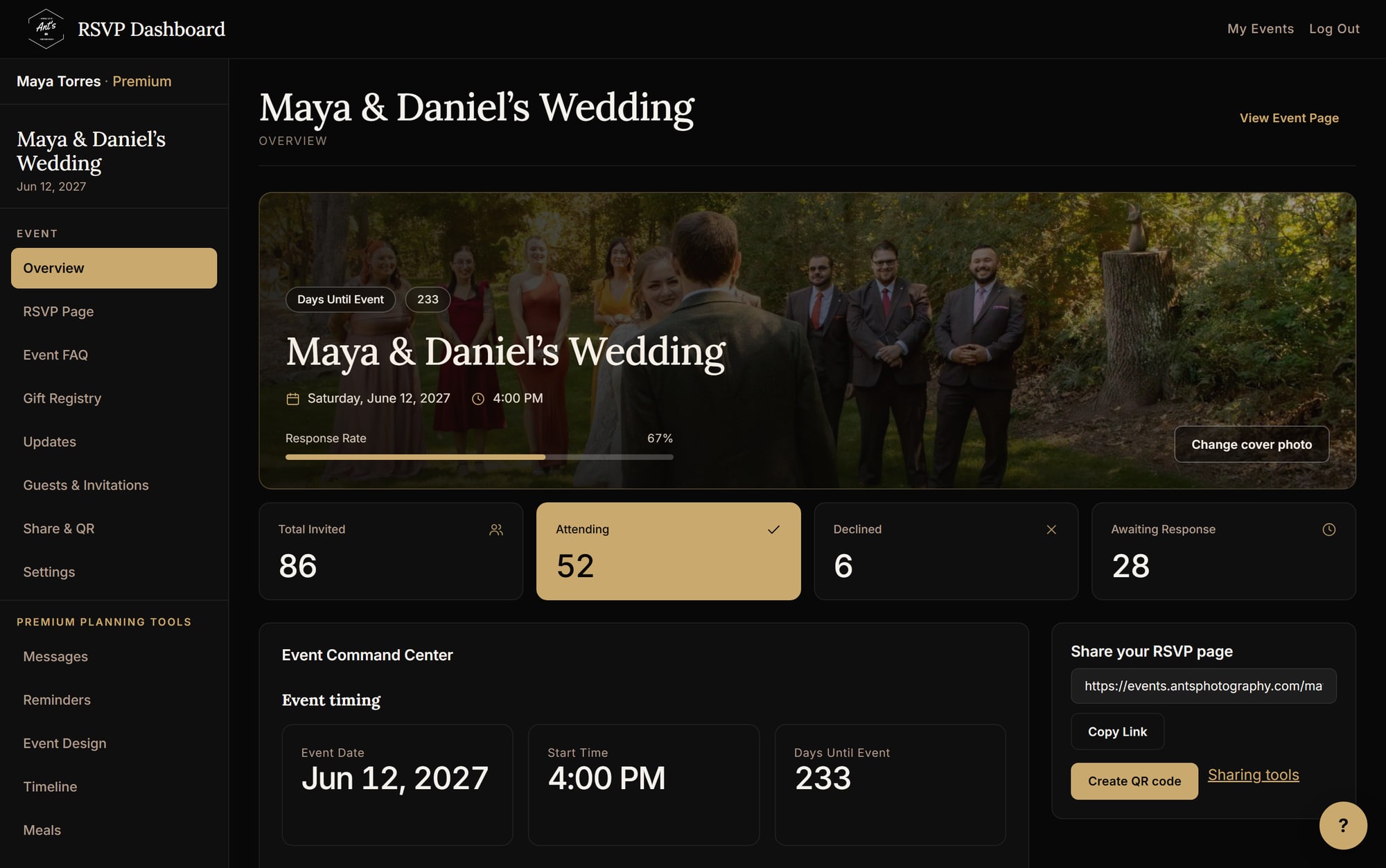
Under the summary, four totals answer the questions you check most: how many people were invited, how many are attending, how many declined and how many have not responded yet. The response-rate bar shows how close you are to a full headcount. Below that, the Event Command Center gathers your key dates and RSVP numbers in one read-only view, and a Needs Attention list points to anything still unfinished, such as missing event details. Nothing in these views changes your event on its own; they only show you where things stand.
The share card sits beside your totals. Copy your event link to paste into a message or invitation, or create a QR code for a printed card or sign. Guests open the page, reply, and the numbers above update as responses arrive. If you only need a QR code for something else, our free QR code maker is available too.
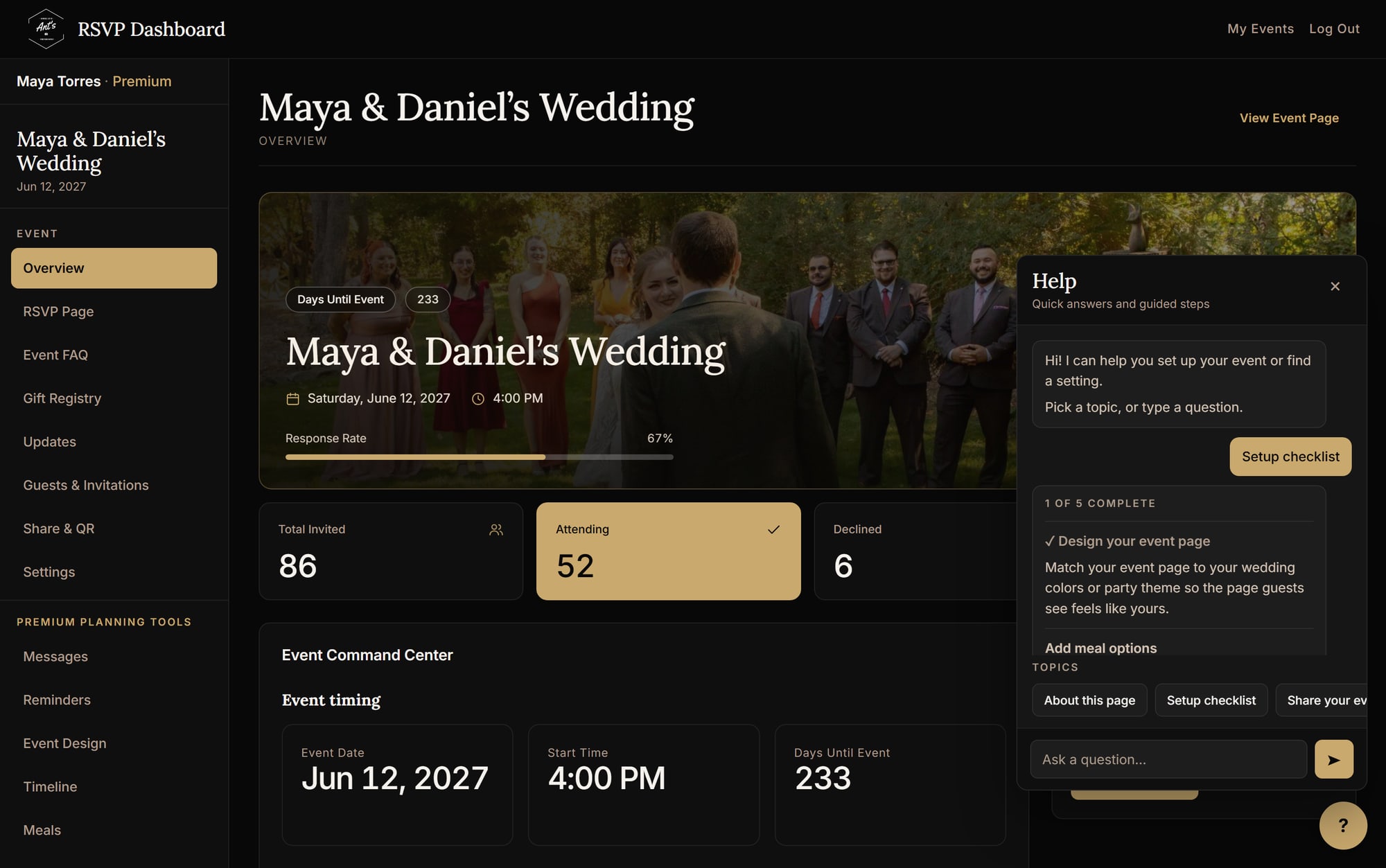
Older dashboards tend to explain themselves with paragraphs under every heading. We moved those explanations into a help chat, the round question-mark button in the corner. Open it and you will find:
The chat answers from our written guides, so the answers are the same ones we would give you, available at any hour. It is not a person, and when a question falls outside the guides it points you to our contact page. The result is a quieter dashboard: the help is there when you want it and out of the way when you do not.
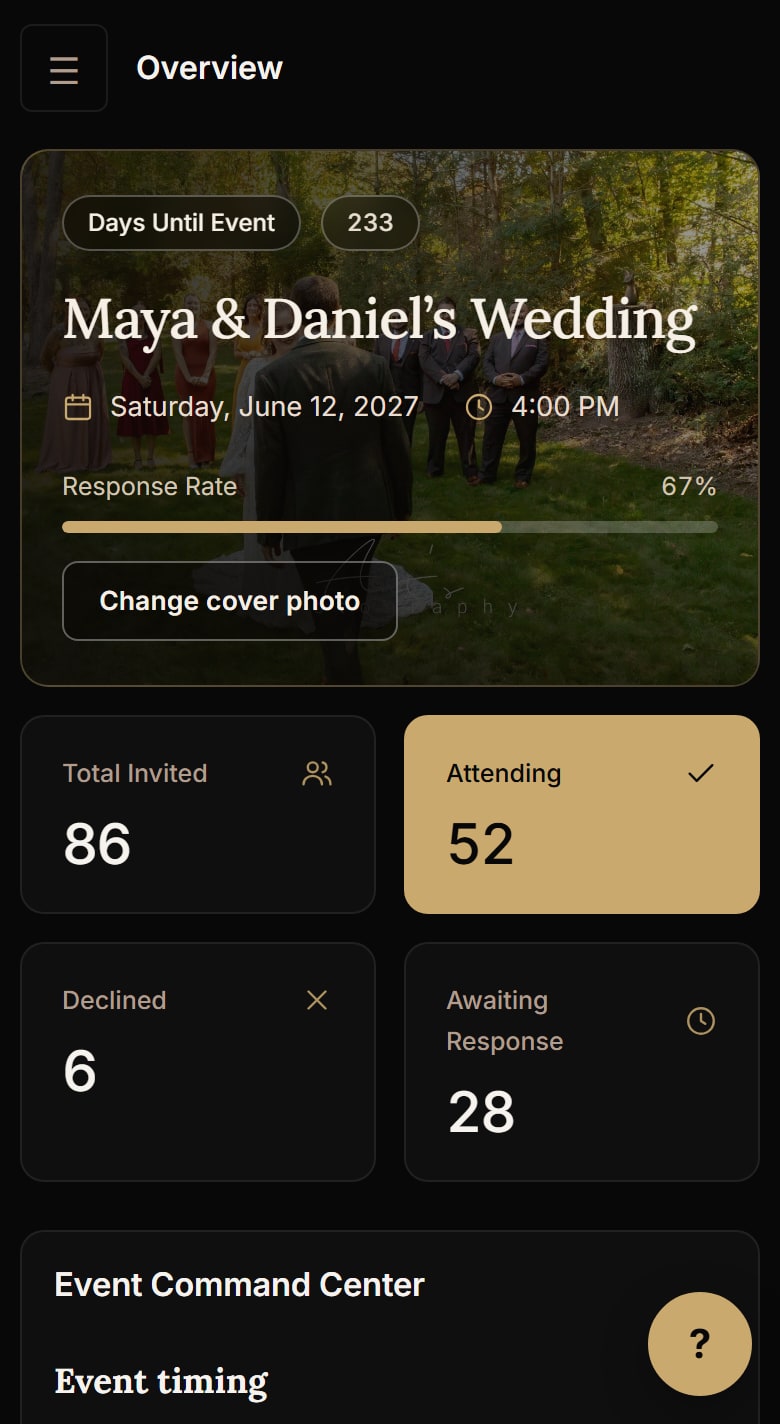
Most guests, and plenty of hosts, will look at this on a phone. The dashboard reshapes for small screens: the menu tucks behind a button, the totals stack in pairs, and the help button stays within thumb reach. A theme switch lets you choose a light or dark look, and the dashboard can be switched to Spanish for families who plan in Spanish.
Free for everyone: a custom event page, RSVP collection, guest count tracking, and a shareable link with a QR code.
With a photography booking: a custom URL ending, premium design themes, a photo gallery, email and text reminders, meal selection, seating chart tools and guest messaging. The premium workspace also includes a timeline for the day, vendor and budget tracking and a task list. You can start free and unlock the rest later for the same event.
The dashboard works for any celebration we photograph: weddings, quinceañeras, showers, birthdays and other events. It is most useful when guest lists are large, families are involved and the details change as the date gets closer.
Questions about how the dashboard fits your event? Ask in an inquiry and we will walk you through it.
Ready to plan?
Set up your event in a few minutes, then add photography whenever you are ready.